01
Add your clients
Name, PAN, GSTIN, and which services you handle for them, ITR, GST, TDS, ROC. Two minutes each, and you can add the rest as you go. Nothing is mandatory except the name.
See how clients, compliance and documents come together in CAConnect, with screenshots from the product at every step.
01
Name, PAN, GSTIN, and which services you handle for them, ITR, GST, TDS, ROC. Two minutes each, and you can add the rest as you go. Nothing is mandatory except the name.
02
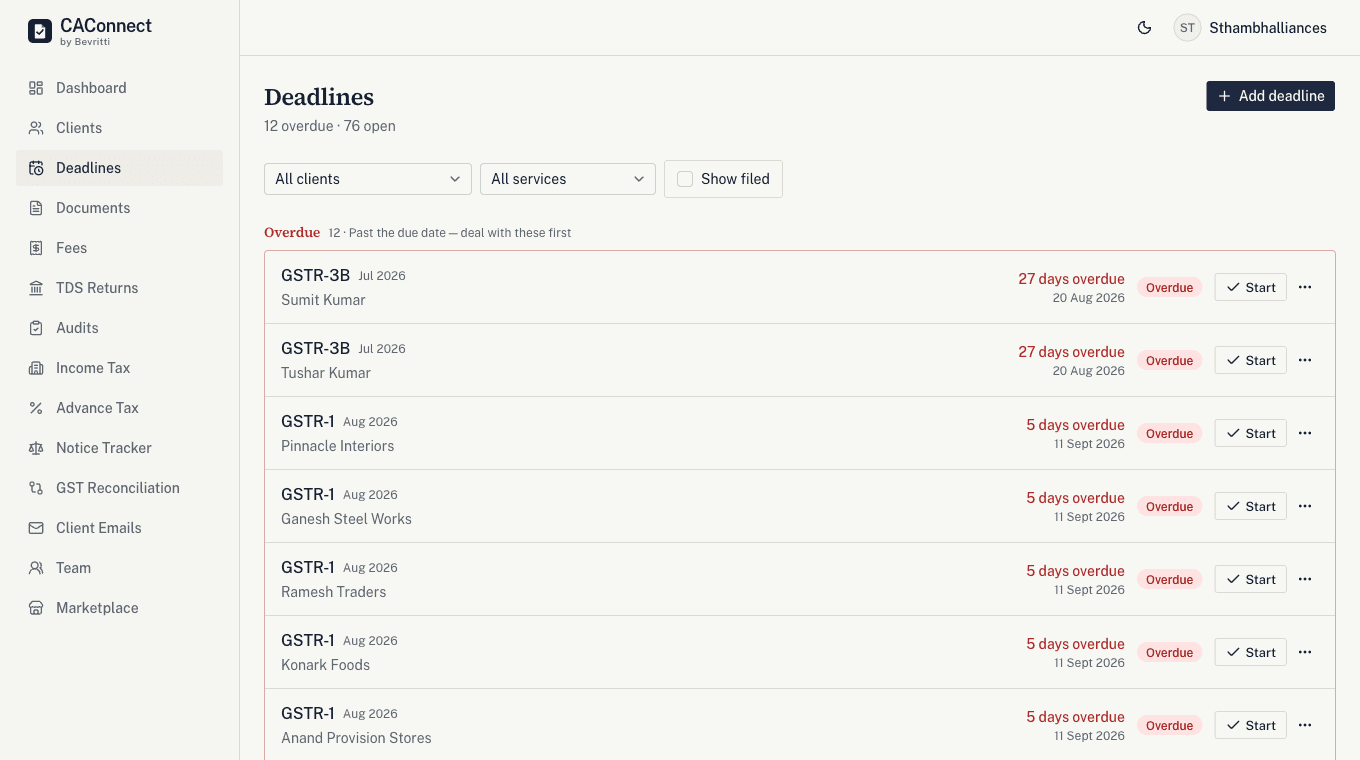
The moment you tag a client with a service, their filing calendar fills in: GSTR-1 on the 11th, GSTR-3B on the 20th, TDS quarterly, ITR on 31 July, or 31 October for audit cases. You never type a date. Grouped by what is overdue, what is due this week, and what can wait.
03
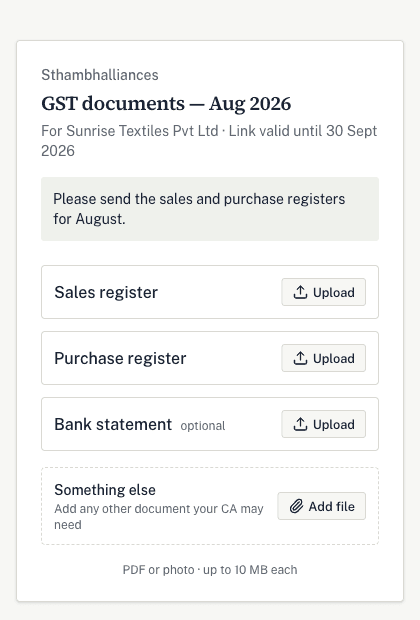
Build a checklist, send one WhatsApp link. This is what your client sees when they tap it, no login, no account, no app to install. They photograph the register on their phone and it lands against the right line on your checklist.
04
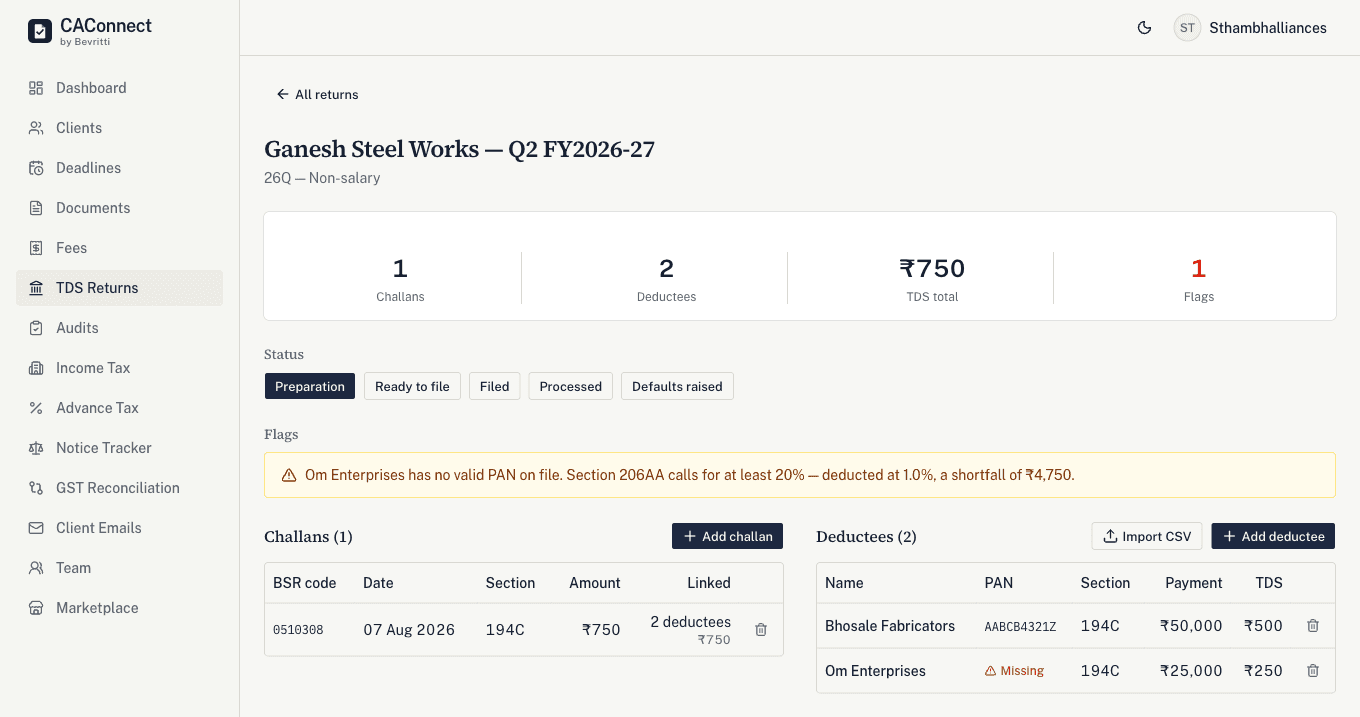
Log the challans and deductees behind a 24Q or 26Q, and CAConnect checks the numbers as you enter them, a PAN that is missing or invalid, a challan that does not add up to what is claimed against it, a vendor whose payments this year crossed the threshold without enough TDS deducted. Nothing here invents a rule; it does the arithmetic and shows the exact shortfall.
05
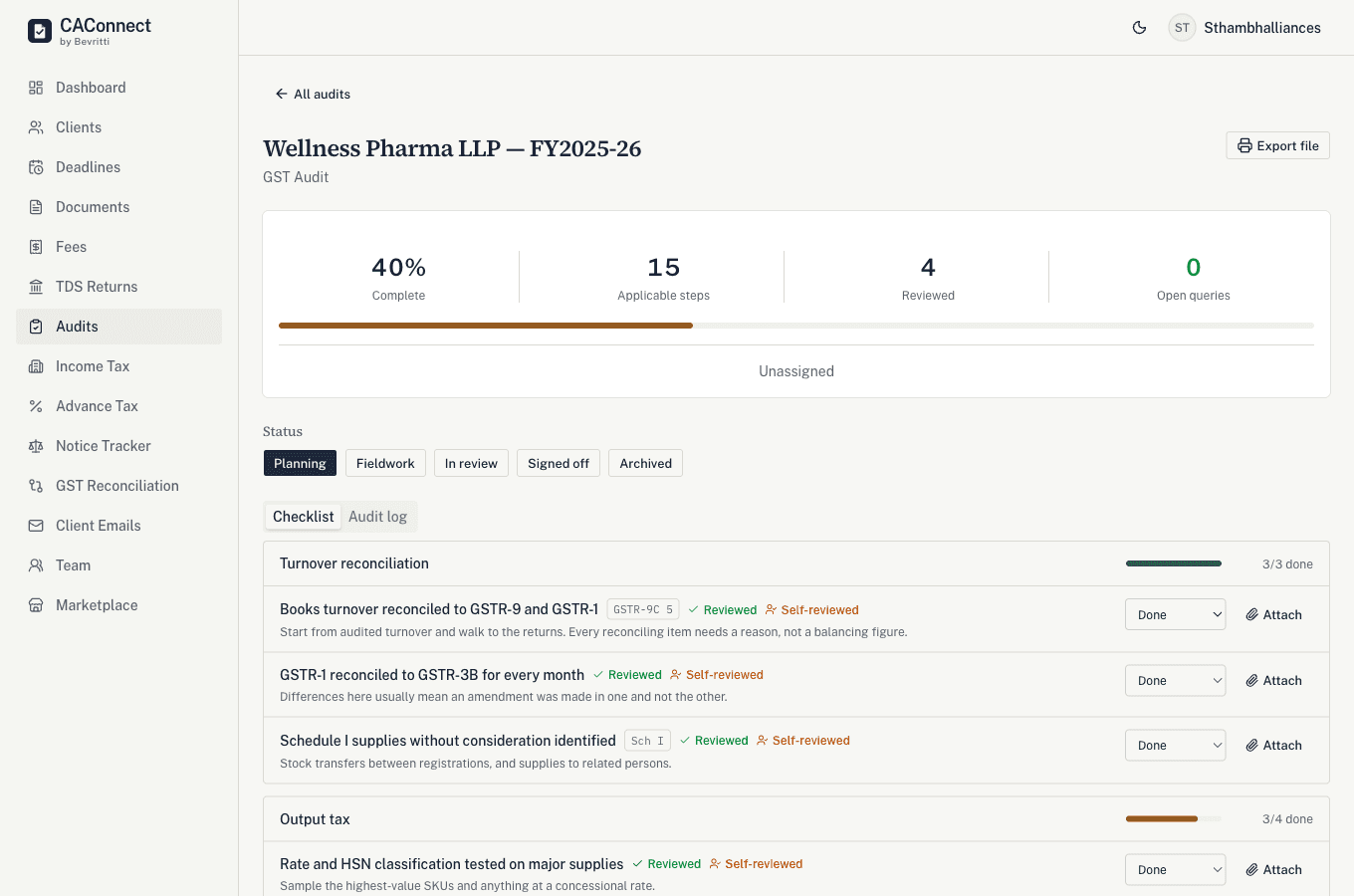
Open an engagement for Tax Audit, Statutory Audit or GST Audit and the relevant checklist loads in, the actual clauses, not a generic to-do list. Attach evidence against each item as you clear it, a senior reviews and signs off, and the whole file exports as one document for the year.
06
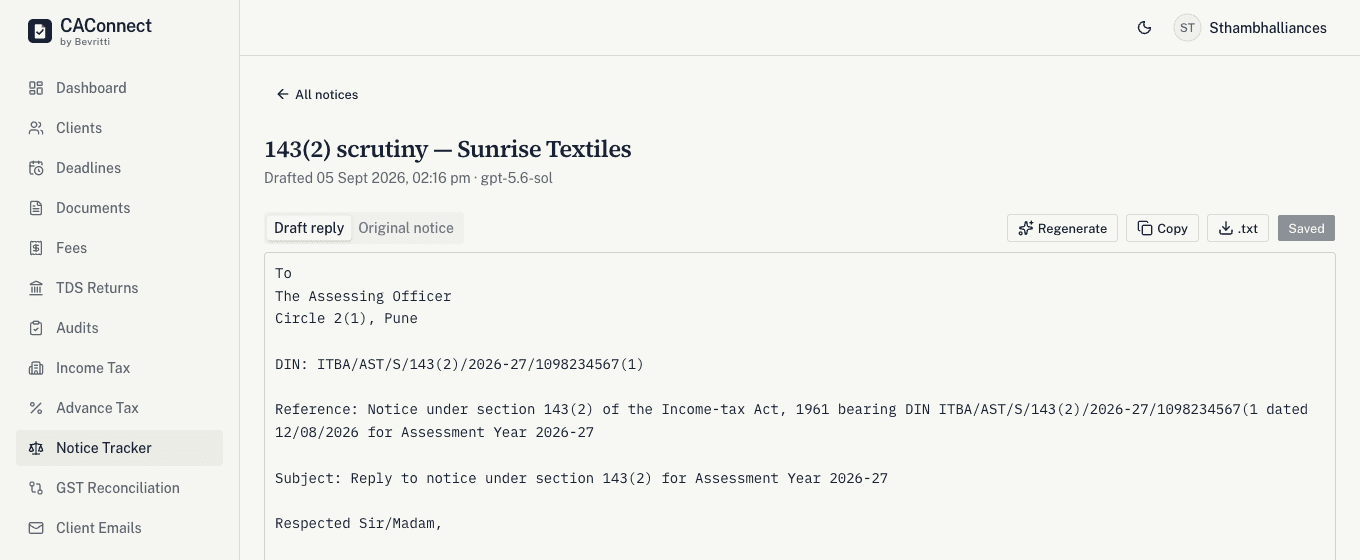
Paste an Income Tax or GST notice, or upload the PDF. You get a formal point-wise reply in Indian legal register, in under 30 seconds, ready to review and sign on your letterhead.
07
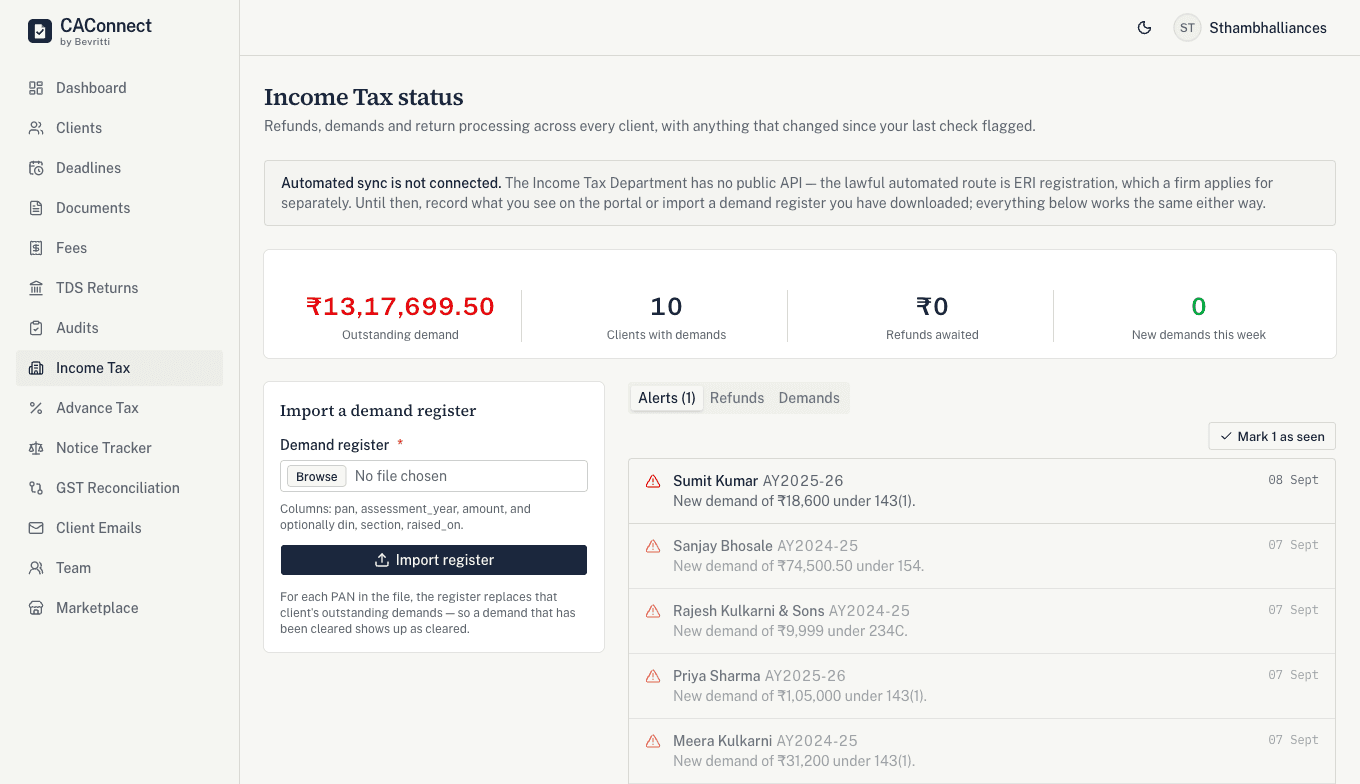
Record what the portal shows for a client’s refund and outstanding demand, and CAConnect tells you what changed since your last check, a new demand raised, one that grew, a refund that came through. It shows up on your dashboard the moment you record it, instead of waiting for you to remember to look.
08
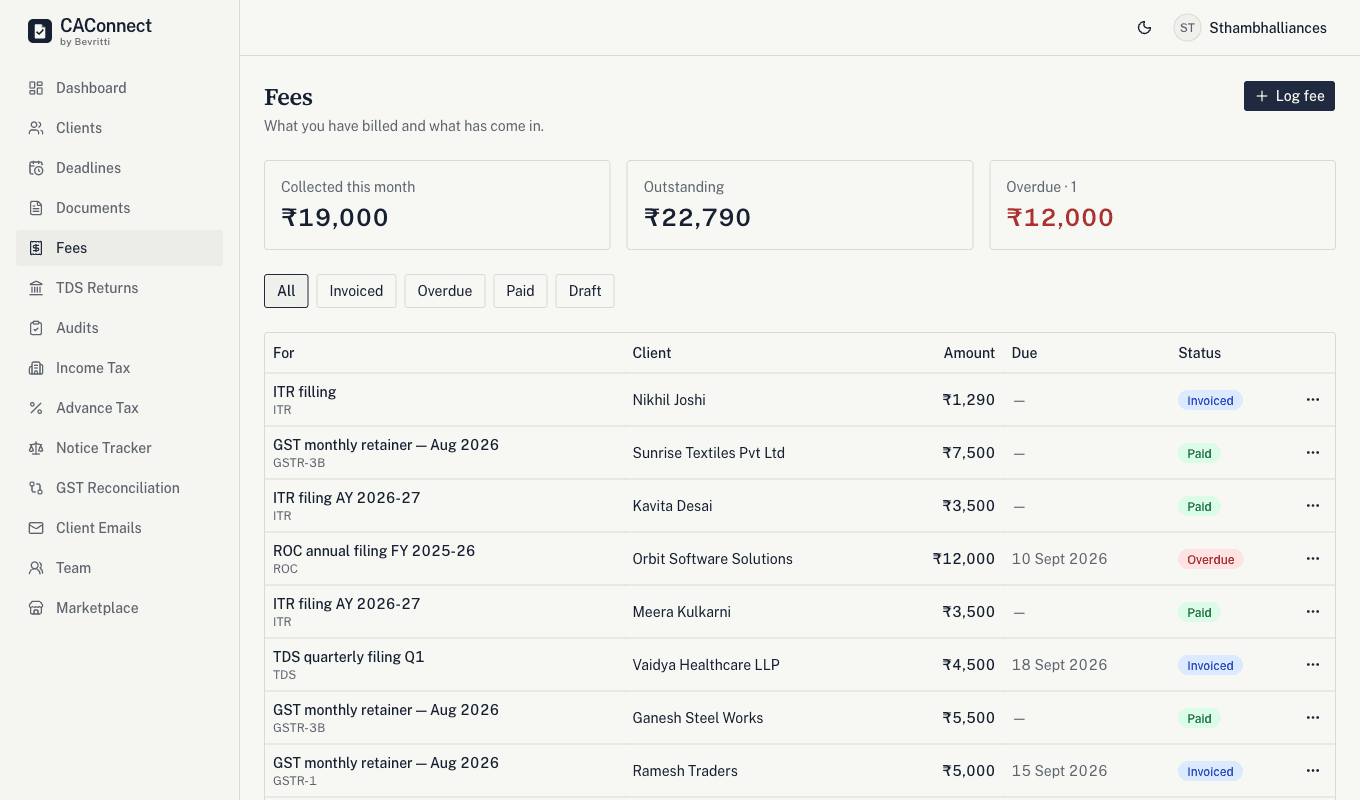
Log a fee per client per service as you bill it. Collected this month, outstanding, and overdue, three numbers most small practices genuinely cannot state on demand.
09
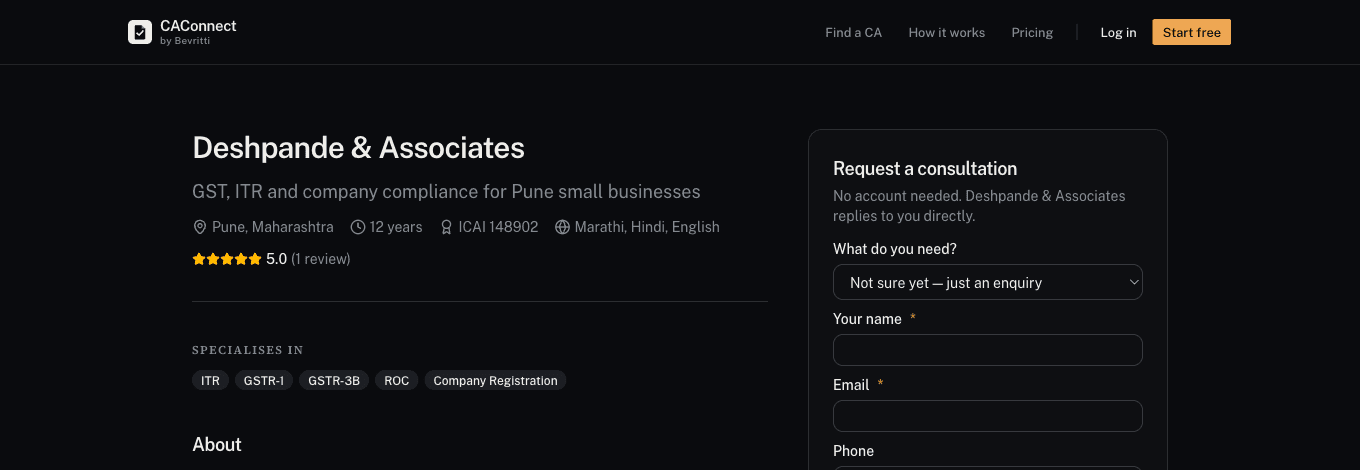
Optional, and off until you switch it on. Publish a profile with your ICAI number, your specialisations and fixed prices for the work you do most. People searching for a CA in your city can see exactly what something costs and request it directly, and an accepted request becomes a client in your list, with their details already filled in.
The client work and the business behind it, with a shared record of what happened and what comes next.
Assign clients and work, organise recurring tasks and track progress through your workflows. Team members get a personal work queue. Custom workflows are available on Pro and Team.
Create GST invoices, record receipts, track unbilled work and manage client ledgers and retainers. Starter includes 10 issued invoices per month; paid plans include unlimited invoices.
On Pro and Team, log time with task timers and weekly timesheets. Review client and service profitability, team utilisation and upcoming workload from recorded time, fees and cost rates.
Add one client, tag them with a service, and watch their filing calendar appear. That is the whole test, and it is free for your first ten clients.